

How to check where you are registered to vote
South Africans can check which voting station they are registered at ahead of the local elections. Here’s a guide on how to find out where you can cast your vote.
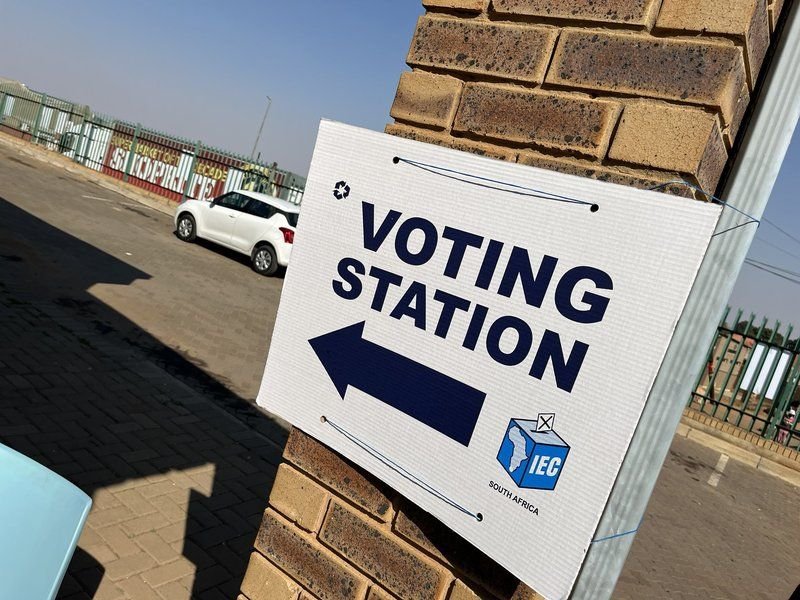
Millions of South Africans are expected to cast their votes in the upcoming local elections on Wednesday 4 November.
The day has been declared a public holiday to allow South Africans to make their voices heard.
However, being 18 years or older and having a South African ID does not automatically mean that you are eligible to vote. You must first be registered.
Even if you are registered, you cannot simply walk into any voting station and cast your vote. During municipal elections, voters are required to vote at the station where they are registered.
Each voting station has a voters’ roll containing the details of registered voters in that voting district. Election officials use this list to verify whether you are eligible to vote at that particular station.
To avoid any last-minute confusion, it is important to check where you are registered to vote before election day.
How to check where you are registered to vote
Visit the IEC website
Go to the Electoral Commission of South Africa’s official website: www.elections.org.za.
Click on the ‘Voters’ tab
Once you are on the website, navigate to the ‘Voters’ section.
Select ‘Registration’
Under the ‘Voters’ section, you will find three options: Registration, Voting and Voter Information Centre.
Click on the Registration drop-down menu.
Select ‘Check my voter registration status’
Under Registration, you will find the option to check your voter registration status.
Click on it to proceed.
Enter your ID number
You will be directed to a section titled ‘My voter registration’, where you will be prompted to enter your South African ID number.
Once you have entered your ID number, the system will display your voter registration details, including the voting station where you are registered.
You can also check via SMS
If you prefer not to use the website, you can check your voter registration status via SMS.
Simply send your South African ID number to 32810.
Each SMS costs R1.
If you want to check the status of your special vote application, you can send your ID number to 32711, also at a cost of R1 per SMS.
Checking your registration details ahead of election day will help you know exactly where to go and make the voting process easier.
First-time voter?
If you are voting for the first time, here’s a guide to help you prepare for election day.
Listen to Jacaranda FM:
- 94.2
- Jacaranda FM App
- http://jacarandafm.com
- DStv 858/ OpenView 602
Follow us on social media: